It feels almost magical, doesn’t it? You tap a button on your phone or click an icon on your computer, and suddenly you’re face-to-face, voice-to-voice, with someone miles away. Video calls have shrunk the world, connecting families, friends, and colleagues across continents. But behind that seemingly simple interaction lies a complex ballet of technology working tirelessly to transmit your image and voice across the internet in near real-time. It’s not magic, but it is a fascinating process involving capturing, compressing, sending, and reassembling data at lightning speed.
Capturing Your World: Cameras and Microphones
Everything starts with capturing the raw ingredients: sight and sound. Your device’s microphone and camera are the initial gatekeepers.
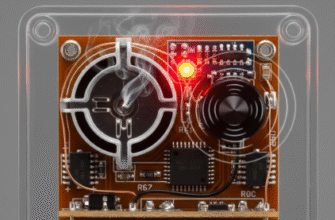
The Microphone: Think of a microphone as an ear. It contains a diaphragm, a thin piece of material that vibrates when sound waves (your voice, background noise) hit it. These vibrations are then converted into electrical signals. The louder the sound, the stronger the signal; the higher the pitch, the faster the signal fluctuates. At this stage, it’s an analog signal – a continuous electrical wave mirroring the original sound waves.
The Camera: Your camera captures light, not sound. Light reflecting off you enters the camera lens and hits an image sensor, typically a CMOS or CCD sensor. This sensor is packed with millions of tiny light-sensitive spots called pixels. Each pixel measures the intensity and color of the light hitting it and converts that light energy into a small electrical charge. The combined charges from all pixels form an electrical representation of the image – another analog signal, essentially a snapshot frozen in time. For video, this process repeats many times per second (the frame rate, often 24, 30, or 60 frames per second).
Going Digital: From Waves to Bits
Computers don’t understand continuous analog electrical signals. They speak the language of ones and zeros – digital data. So, the next crucial step is converting these analog signals into a digital format. This is handled by specialized components called Analog-to-Digital Converters (ADCs).
For Audio: The ADC samples the analog audio signal thousands of times per second. Each sample measures the amplitude (loudness) of the electrical wave at that specific instant and assigns it a numerical value. The sequence of these numbers creates a digital representation of the original sound. The more samples taken per second (sample rate) and the more precisely each sample’s amplitude is measured (bit depth), the higher the fidelity of the digital audio.
For Video: Similarly, the electrical charges from the camera sensor’s pixels are converted into numerical values representing the color and brightness of each pixel. A complete set of pixel data for one snapshot becomes a digital image or frame. Repeating this process creates a sequence of digital frames – digital video.
At this point, we have digital audio and digital video, but there’s a problem: the sheer amount of data is enormous. Uncompressed high-quality video and audio would overwhelm most internet connections, making real-time calls impossible.
Shrinking the Data: The Power of Compression
This is where compression algorithms, known as codecs (short for Coder-Decoder), come into play. Their job is to drastically reduce the size of the digital audio and video data without sacrificing too much perceivable quality. Think of it like vacuum-packing clothes for a suitcase – same clothes, less space.
Video codecs are particularly clever. They employ several techniques:
- Intra-frame compression: Similar to how JPEGs compress still images, this reduces redundancy within a single video frame. For example, large areas of the same color (like a wall behind you) can be represented more efficiently than storing data for every single identical pixel.
- Inter-frame compression: This is where the real magic happens for video. Codecs look for differences between consecutive frames. If you’re sitting relatively still, most of the image (your background) doesn’t change much from one frame to the next. Instead of sending the entire picture repeatedly, the codec sends one full frame (a keyframe or I-frame) and then only sends the data describing the changes in subsequent frames (P-frames and B-frames). This saves a massive amount of data.
Audio codecs also remove data that humans are less likely to hear, focusing on the frequencies most important for speech intelligibility. Different codecs (like H.264, H.265/HEVC, VP9, AV1 for video, and Opus, AAC for audio) offer varying balances between compression efficiency, quality, and the computational power needed to encode and decode.
Verified Info: The core technologies enabling video calls involve digitization, compression using codecs, and packet switching. Codecs dramatically reduce data size by removing redundant information within frames and tracking changes between frames. This compressed data is then broken into small packets for efficient transmission over the internet.
The Internet Journey: Packets Across the Network
Once compressed, the digital audio and video data streams are chopped up into small, manageable chunks called packets. Each packet is like a tiny digital envelope. It contains a piece of the audio or video data, along with header information.
This header information is vital. It includes:
- Source IP Address: Where the packet came from (your device).
- Destination IP Address: Where the packet is going (the other person’s device).
- Sequence Number: To help put the packets back in the right order at the destination, as they might arrive out of sequence.
- Port Number: To ensure the packet reaches the correct application (the video call software) on the destination device.
- Other control information: For error checking and managing data flow.
These packets are then sent out onto the internet. They don’t necessarily travel together or take the same path. Routers across the internet look at the destination IP address on each packet and forward it along the most efficient route available at that moment. This system, called packet switching, is incredibly robust and efficient, forming the backbone of the modern internet.
For real-time communication like video calls, often a protocol called UDP (User Datagram Protocol) is preferred over TCP (Transmission Control Protocol). While TCP guarantees delivery and order by resending lost packets, this adds delay (latency), which is bad for conversations. UDP is faster because it doesn’t wait for acknowledgments or resend lost packets automatically – speed is prioritized over perfect reliability, with some minor glitches being more acceptable than significant lag.
Reassembly and Playback: Putting it Back Together
As packets arrive at the destination device (the other person’s computer or phone), they might be jumbled, delayed, or some might even be missing (packet loss), especially if using UDP.
The video call software on the receiving end works hard to manage this:
- Reordering: Using the sequence numbers in the packet headers, the software attempts to reassemble the packets into the correct order for both the audio and video streams.
- Buffering: To handle variations in packet arrival times (called jitter), the software usually maintains a small buffer. It waits for a short period to collect incoming packets before decoding and playing them, smoothing out the playback. This is a delicate balance – too small a buffer increases the risk of glitches, while too large a buffer increases lag.
- Decompression (Decoding): The reassembled data, still compressed, is fed into the corresponding codec (the ‘De’ part of Coder-Decoder). The codec reverses the compression process, reconstructing the digital audio and video signals as accurately as possible based on the received data.
- Error Concealment: If packets are lost and cannot be recovered quickly, the software might use techniques to guess the missing data or repeat the last known good data to minimize jarring disruptions. This might result in temporary pixelation, blockiness, or audio dropouts.
Back to Analog: Seeing and Hearing
Finally, the reconstructed digital audio and video data needs to be converted back into forms humans can perceive.
Digital-to-Analog Converters (DACs) take the digital audio data (the sequence of numbers) and convert it back into an analog electrical signal. This signal is then amplified and sent to the speakers or headphones, causing their diaphragms to vibrate and reproduce the sound waves of the caller’s voice.
Simultaneously, the digital video data (the pixel information for each frame) is sent to the graphics processor and then to the display (screen). The screen illuminates its pixels according to the received data, recreating the sequence of images that form the moving picture of the person you’re talking to.
Keeping Sync: The Timing Challenge
A crucial, often overlooked challenge is keeping the audio and video perfectly synchronized. You don’t want to see someone’s lips move long before or after you hear their voice. Timestamps embedded within the data packets help the receiving software align the audio and video streams before playback, ensuring a natural conversational experience.
So, the next time you effortlessly chat with someone face-to-face online, remember the incredible journey your voice and image undertook. Captured, digitized, compressed, packetized, routed across the globe, reassembled, decompressed, and finally converted back into light and sound – all within fractions of a second. It’s a testament to sophisticated algorithms, powerful hardware, and the intricate infrastructure of the internet, all working together to bridge distances and bring us closer.
“`