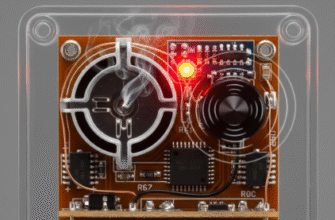
Ever walked up your driveway late at night and had the porch light magically spring to life? Or perhaps you’ve startled yourself entering a dark room only for the lights to flick on automatically. This isn’t magic, of course, but the clever work of motion sensor lights. They seem almost intuitive, knowing precisely when a presence enters their domain. But how do these seemingly simple devices actually perceive movement and decide it’s time to illuminate?
The secret lies in specialized sensors designed to detect changes in their environment. While there are a few different technologies floating around, the vast majority of motion sensor lights you encounter, especially for home use, rely on one primary method: Passive Infrared (PIR) detection. Understanding PIR is key to understanding most motion lights.
The Dominance of Passive Infrared (PIR) Sensors
Think of “passive” in this context as meaning the sensor isn’t actively sending out signals to look for something (like radar). Instead, it’s passively watching for changes in infrared energy. What emits infrared energy? Pretty much everything, but warm bodies – like humans, dogs, and even cars with recently running engines – emit infrared radiation (heat) quite strongly and in patterns that PIR sensors are specifically tuned to detect.
A PIR sensor itself is typically a small electronic component. But it doesn’t work alone. It’s almost always situated behind a crucial piece of plastic: the multifaceted, often dome-shaped or rectangular, lens cover you see on the front of the motion detector. This isn’t just protective plastic; it’s a Fresnel lens (or a series of them). This special lens plays a vital role:
- It focuses infrared energy from a wide area onto the small PIR sensor element.
- It divides the sensor’s field of view into multiple detection zones or segments.
Imagine looking through a window that’s divided into many small panes. The PIR sensor, through the Fresnel lens, sees the world in a similar segmented way. Each segment represents a zone it’s monitoring for infrared energy levels.
Detecting the “Motion” Part
So, the sensor is looking at these zones. How does it know something is moving? It’s all about change. When a room or outdoor area is empty, the PIR sensor registers a baseline infrared signature across its detection zones. Each zone has a certain level of background heat.
Now, imagine a person walks into the sensor’s field of view. As they move from one detection zone to another, their body heat creates a rapid change in the infrared energy levels within those specific zones. First, one zone detects a sudden spike in IR radiation as the person enters it. Then, as they move, that zone’s level might drop back closer to the baseline, while an adjacent zone suddenly experiences a spike.
It’s this rapid change across different zones that the sensor’s internal circuitry interprets as motion. A stationary warm object (like a heating vent that just turned on) might increase the IR level in one zone, but it won’t typically cause the rapid shift across multiple zones that signifies movement. This helps reduce false triggers from static heat sources.
PIR sensors do not detect motion itself. They detect the rapid change in infrared energy (heat) as a warm body moves from one detection zone to another. The Fresnel lens is essential for creating these distinct zones and focusing the infrared energy. This distinction is key to understanding their operation and limitations.
Once the sensor’s circuitry confirms a valid motion pattern (a significant enough change happening quickly enough across zones), it sends an electrical signal. This signal typically activates a relay or a solid-state switch, which completes the electrical circuit to the light bulb, turning it on. Voilà! Light appears where there was darkness.
Alternative Technologies: Microwave and Others
While PIR is the most common, it’s not the only game in town. Some motion sensor lights, often found in commercial settings or higher-end security systems, use Microwave (MW) sensors.
How Microwave Sensors Work
Unlike passive PIR sensors, microwave sensors are active. They work more like radar or sonar:
- The sensor emits continuous waves of low-power microwave radiation into the surrounding area.
- These waves bounce off objects (walls, furniture, people) and return to the sensor.
- The sensor analyzes the reflected waves (the echo).
If everything in the area is stationary, the reflected waves come back with a consistent frequency. However, if something moves within the area, it disrupts the pattern. The movement causes a shift in the frequency of the reflected waves – this is known as the Doppler effect (the same phenomenon that makes a siren sound change pitch as it moves towards or away from you).
The sensor detects this frequency shift and interprets it as motion, triggering the light. Microwave sensors have some distinct characteristics:
- Coverage: They can often cover larger areas more consistently than PIR sensors.
- Obstructions: They can sometimes “see” through thin walls, glass, or plastic, meaning they might detect motion on the other side.
- Sensitivity: They are less affected by ambient temperature than PIR sensors.
- False Triggers: Their ability to penetrate materials can also lead to false triggers from movement outside the intended area (e.g., tree branches swaying outside a window, plumbing running in a wall). They can also sometimes be triggered by electrical interference or even fluorescent lighting.
Other Sensor Types
You might occasionally encounter other types, though they are less common in standard lighting fixtures:
- Ultrasonic Sensors: These also work actively, emitting high-frequency sound waves and listening for changes in the reflected echoes caused by movement (similar principle to microwave, but using sound).
- Dual Technology (Dual-Tech): These combine two different sensor types, most commonly PIR and Microwave. The light only turns on if both sensors detect motion simultaneously. This dramatically reduces false alarms, as the weaknesses of one technology are often offset by the strengths of the other. These are typically used in situations where reliability is paramount, like commercial security.
Fine-Tuning the Detection
Simply detecting motion isn’t enough for a practical motion sensor light. Most units come with adjustments to tailor their behaviour:
- Sensitivity Control: Often a dial or switch, this adjusts how much change the sensor needs to detect before triggering. Lowering sensitivity can prevent triggers from small animals or blowing debris, while increasing it makes the sensor react to smaller or more distant movements.
- Time Delay: This setting determines how long the light stays on after motion is no longer detected. It can usually be set from a few seconds to several minutes. This prevents the light from flicking off annoyingly if you just step out of range for a moment.
- Photocell (Ambient Light Sensor): This is a crucial feature for energy saving. A small photocell detects the level of natural daylight. If it’s bright enough outside, the photocell overrides the motion sensor, preventing the light from turning on even if motion is detected. Why waste electricity during the day? This feature usually has an adjustment to set the threshold of darkness at which the motion sensor becomes active.
- Range Adjustment: While often linked to sensitivity, some models allow specific aiming or masking to define the detection area more precisely, preventing triggers from sidewalk or road traffic, for example.
Incorrect placement and setting adjustments are the most common reasons for motion sensor light frustration. Ensure the sensor has a clear view of the desired detection area, isn’t aimed at heat sources (like dryer vents for PIR), and isn’t blocked by foliage. Experiment with sensitivity and timer settings to find what works best for your specific location and needs.
Why They Sometimes Go Wrong
Despite the clever technology, motion lights aren’t infallible. Common issues include:
- Light Stays On: Often caused by continuous motion within the detection zone (swaying branches, small animals setting it off repeatedly) or incorrect timer/sensitivity settings. Sometimes, a power surge can lock the sensor “on,” requiring a power cycle (turning the breaker off and on) to reset it.
- Light Doesn’t Turn On: Could be a burned-out bulb, incorrect wiring, the photocell thinking it’s daytime (even at night if another bright light is nearby), sensitivity set too low, or the sensor being aimed incorrectly or obstructed. Extreme temperatures can also sometimes affect PIR sensor performance.
- Light Triggers Randomly (False Triggering): For PIR, this can be caused by gusts of warm air (from HVAC vents), animals, or even sunlight reflections changing surface temperatures rapidly. For Microwave, it could be movement outside the intended area (behind thin walls) or electrical interference.
In essence, motion sensor lights “know” when to turn on by constantly monitoring their environment for specific types of changes. For most home lights, this means watching for the rapid shift in infrared heat signatures caused by a person or animal moving through distinct zones created by a Fresnel lens. For others, it involves actively sending out microwave signals and detecting the Doppler shift in the reflections caused by movement. Combined with adjustable settings for sensitivity, duration, and ambient light, these sensors provide a convenient and energy-efficient way to automatically illuminate our spaces exactly when needed.